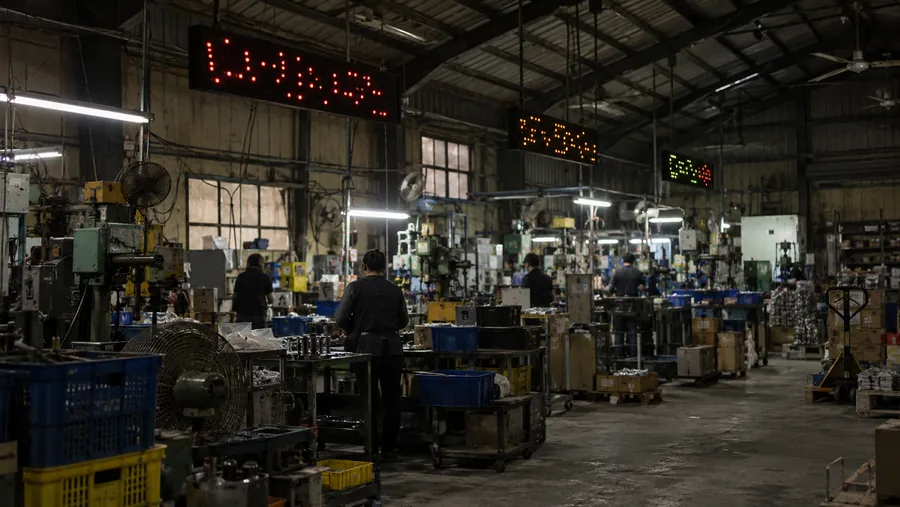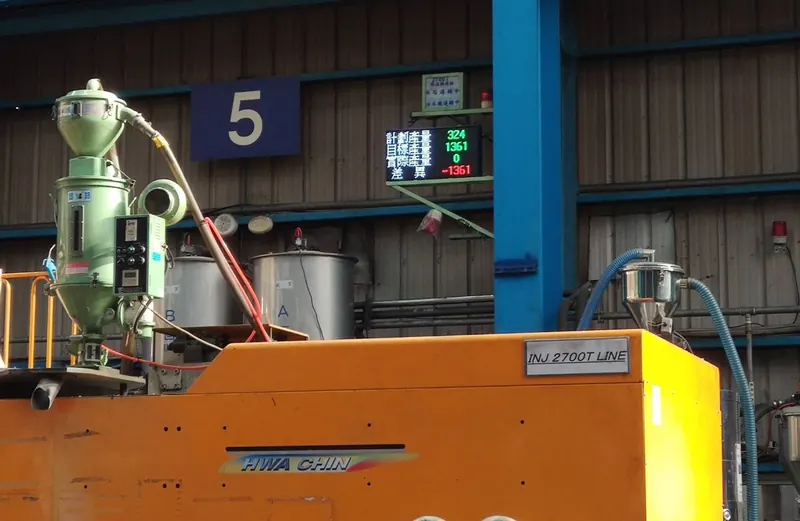
Show machine status on the wall, without checking each machine.
Fieldbus A6.LED Series
Connect directly to a PLC without a computer. Fieldbus A6.LED displays output, speed and event messages on the floor and can operate independently.
SHEET 01Signal Simulator
Pick a data source and follow it through the communication module to the display.
Register data can be displayed as text or values.
SHEET 02Product Lines
Match the series to the PLC protocol or sensor signal.
Modbus RTU / TCP connects to PLCs, meters and instruments to display register data as text or values.
Connect to Mitsubishi PLCs over MELSEC UDP to display production-line information on site.
Receive DC4-20mA, DC0-10V, PT100 or thermocouple signals, with page cycling and upper/lower-limit alarm displays according to the selected module.
Show process, equipment or ambient temperature where operators and inspectors can see it without returning to the instrument.
PROFIBUS DP and PROFINET options suit Siemens control systems, industrial networks and information from multiple slave devices.
SHEET 03Product Services
Find the data source, then choose the matching LED series.
Read PLC, HMI or SCADA data to show text and values on the floor.
Show temperature, humidity, particulate matter and noise readings at worksites, plants or public spaces.
Put targets, output, downtime and efficiency on the wall for teams to check at a glance.
Select for temperature, humidity, analog signals, PT, TC, BCD, speed, line speed, counting, timing or load-cell readings.
SHEET 04Features
Put values from PLCs, instruments and sensors where people can see them.
SHEET 05Applications
SHEET 06Supported Protocols
Confirm the protocol, wiring, registers and data format during selection.
SHEET 07Selection Guide
Align the protocol, display size, protection rating and character capacity before discussing quotations and site conditions.
Select each code segment to build a model code and see its proportions.
Select a model by display size and interface, then check protection, power and mounting. Include any analog or temperature inputs and BIG5 / GBK character-set requirements in the enquiry.
Confirm final specifications against the catalog and project requirements.
The table covers the indoor 5mm-pitch series. Outdoor models add approximately 6cm to both width and height, with a depth of approximately 15cm. Confirm dimensions and mounting against engineering drawings and project requirements.
Each character-height column lists: half-width characters per line / full-width characters per line / number of lines.
| Model | Dimensions | Resolution | 16 px | 24 px | 32 px | 40 px | 48 px | 56 px |
|---|---|---|---|---|---|---|---|---|
| L15F-S2 | 64 x 20 x 12 cm | 128 x 32 | 16 / 8 / 2 | 10 / 5 / 1 | 8 / 4 / 1 | - | - | - |
| L15F-S3 | 96 x 20 x 12 cm | 192 x 32 | 24 / 12 / 2 | 16 / 8 / 1 | 12 / 6 / 1 | - | - | - |
| L15F-S4 | 128 x 20 x 12 cm | 256 x 32 | 32 / 16 / 2 | 21 / 10 / 1 | 16 / 8 / 1 | - | - | - |
| L15F-S5 | 160 x 20 x 12 cm | 320 x 32 | 40 / 20 / 2 | 26 / 13 / 1 | 20 / 10 / 1 | - | - | - |
| L15F-S6 | 192 x 20 x 12 cm | 384 x 32 | 48 / 24 / 2 | 32 / 16 / 1 | 24 / 12 / 1 | - | - | - |
| L25F-S2 | 64 x 36 x 12 cm | 128 x 64 | 16 / 8 / 4 | 10 / 5 / 2 | 8 / 4 / 2 | 6 / 3 / 1 | 5 / 2 / 1 | 4 / 2 / 1 |
| L25F-S3 | 96 x 36 x 12 cm | 192 x 64 | 24 / 12 / 4 | 16 / 8 / 2 | 12 / 6 / 2 | 9 / 4 / 1 | 8 / 4 / 1 | 6 / 3 / 1 |
| L25F-S4 | 128 x 36 x 12 cm | 256 x 64 | 32 / 16 / 4 | 21 / 10 / 2 | 16 / 8 / 2 | 12 / 6 / 1 | 10 / 5 / 1 | 9 / 4 / 1 |
| L25F-S5 | 160 x 36 x 12 cm | 320 x 64 | 40 / 20 / 4 | 26 / 13 / 2 | 20 / 10 / 2 | 16 / 8 / 1 | 13 / 6 / 1 | 11 / 5 / 1 |
| L25F-S6 | 192 x 36 x 12 cm | 384 x 64 | 48 / 24 / 4 | 32 / 16 / 2 | 24 / 12 / 2 | 19 / 9 / 1 | 16 / 8 / 1 | 13 / 6 / 1 |
| L35F-S2 | 64 x 52 x 12 cm | 128 x 96 | 16 / 8 / 6 | 10 / 5 / 4 | 8 / 4 / 3 | 6 / 3 / 2 | 5 / 2 / 2 | 4 / 2 / 1 |
| L35F-S3 | 96 x 52 x 12 cm | 192 x 96 | 24 / 12 / 6 | 16 / 8 / 4 | 12 / 6 / 3 | 9 / 4 / 2 | 8 / 4 / 2 | 6 / 3 / 1 |
| L35F-S4 | 128 x 52 x 12 cm | 256 x 96 | 32 / 16 / 6 | 21 / 10 / 4 | 16 / 8 / 3 | 12 / 6 / 2 | 10 / 5 / 2 | 9 / 4 / 1 |
| L35F-S5 | 160 x 52 x 12 cm | 320 x 96 | 40 / 20 / 6 | 26 / 13 / 4 | 20 / 10 / 3 | 16 / 8 / 2 | 13 / 6 / 2 | 11 / 5 / 1 |
| L35F-S6 | 192 x 52 x 12 cm | 384 x 96 | 48 / 24 / 6 | 32 / 16 / 4 | 24 / 12 / 3 | 19 / 9 / 2 | 16 / 8 / 2 | 13 / 6 / 1 |
| L45F-S2 | 64 x 68 x 12 cm | 128 x 128 | 16 / 8 / 8 | 10 / 5 / 5 | 8 / 4 / 4 | 6 / 3 / 3 | 5 / 2 / 2 | 4 / 2 / 2 |
| L45F-S3 | 96 x 68 x 12 cm | 192 x 128 | 24 / 12 / 8 | 16 / 8 / 5 | 12 / 6 / 4 | 9 / 4 / 3 | 8 / 4 / 2 | 6 / 3 / 2 |
| L45F-S4 | 128 x 68 x 12 cm | 256 x 128 | 32 / 16 / 8 | 21 / 10 / 5 | 16 / 8 / 4 | 12 / 6 / 3 | 10 / 5 / 2 | 9 / 4 / 2 |
| L45F-S5 | 160 x 68 x 12 cm | 320 x 128 | 40 / 20 / 8 | 26 / 13 / 5 | 20 / 10 / 4 | 16 / 8 / 3 | 13 / 6 / 2 | 11 / 5 / 2 |
| L45F-S6 | 192 x 68 x 12 cm | 384 x 128 | 48 / 24 / 8 | 32 / 16 / 5 | 24 / 12 / 4 | 19 / 9 / 3 | 16 / 8 / 2 | 13 / 6 / 2 |
Original catalog pages are in Traditional Chinese. Confirm specifications and configuration for the selected model and project.
Still choosing a specification? Share the equipment, available signals and proposed installation location for selection advice.
SHEET 08Field Cases
Explore display arrangements for injection molding, stamping, food, papermaking and power facilities.
Show machine status on the wall, without checking each machine.
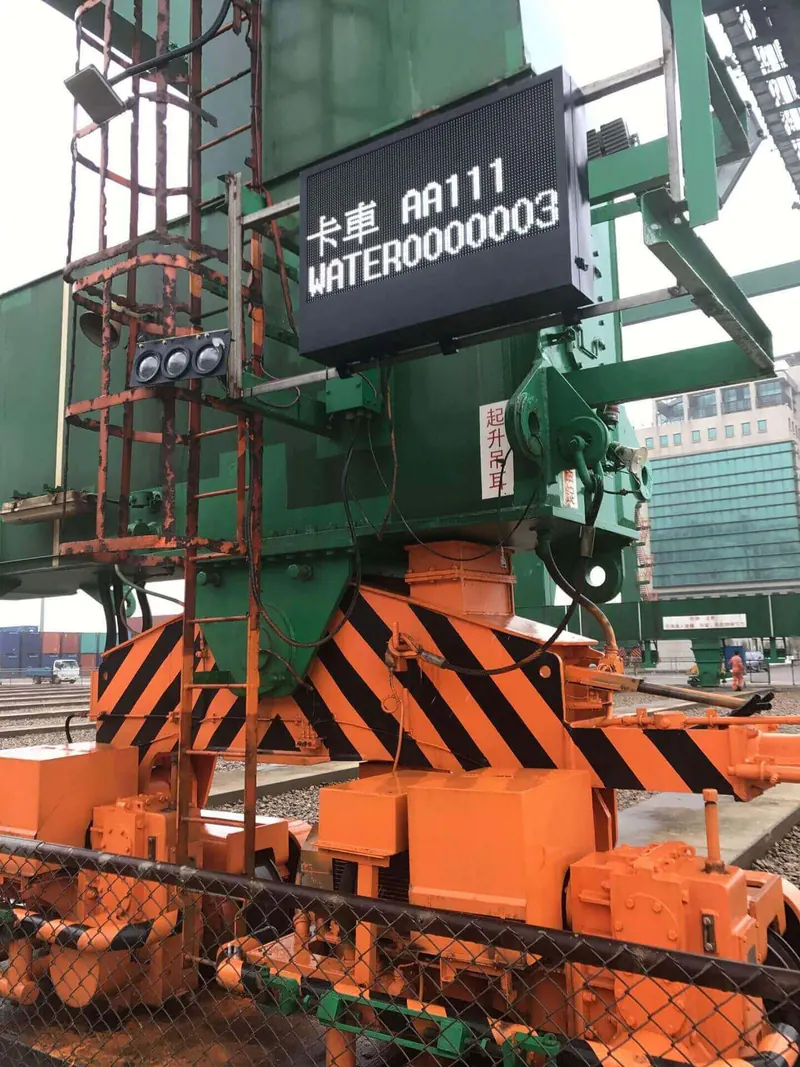
Bring equipment status to the floor through industrial communications.
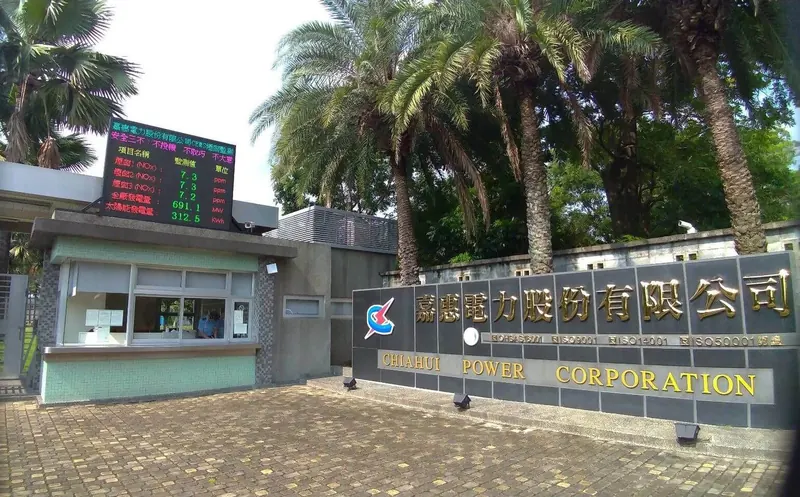
Bring key readings from distributed equipment to a local display.
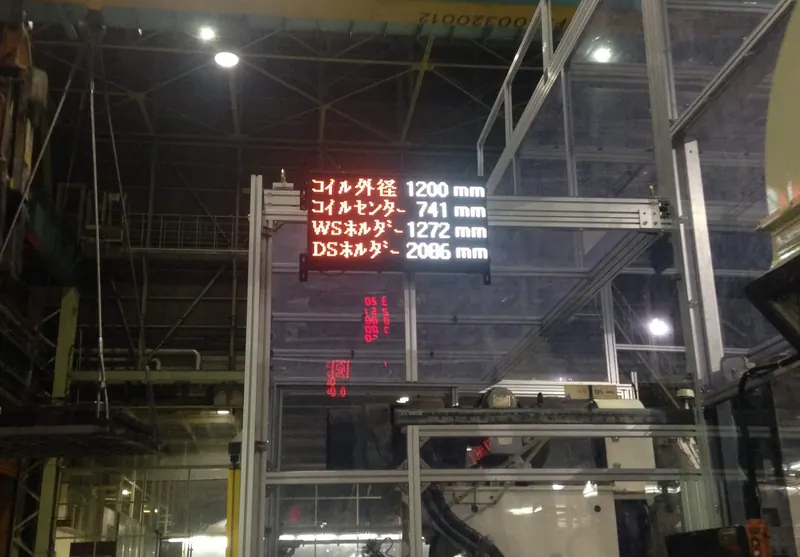
Put cycle times and event messages at the front of the line.
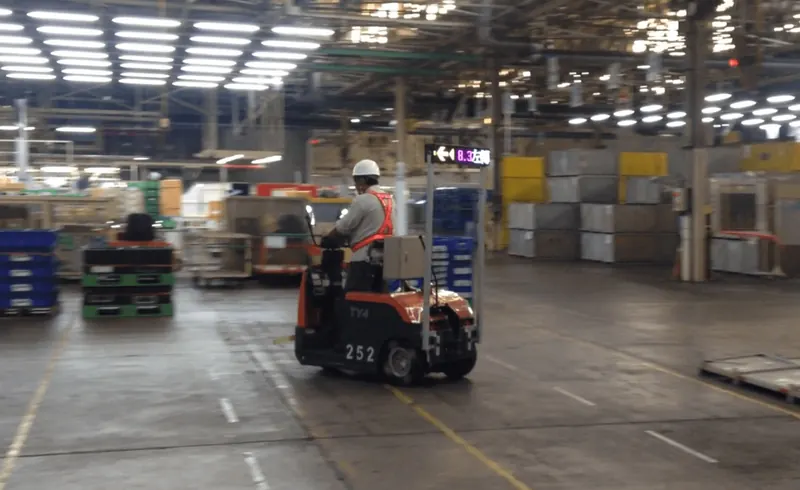
Read line speed from the workstation.
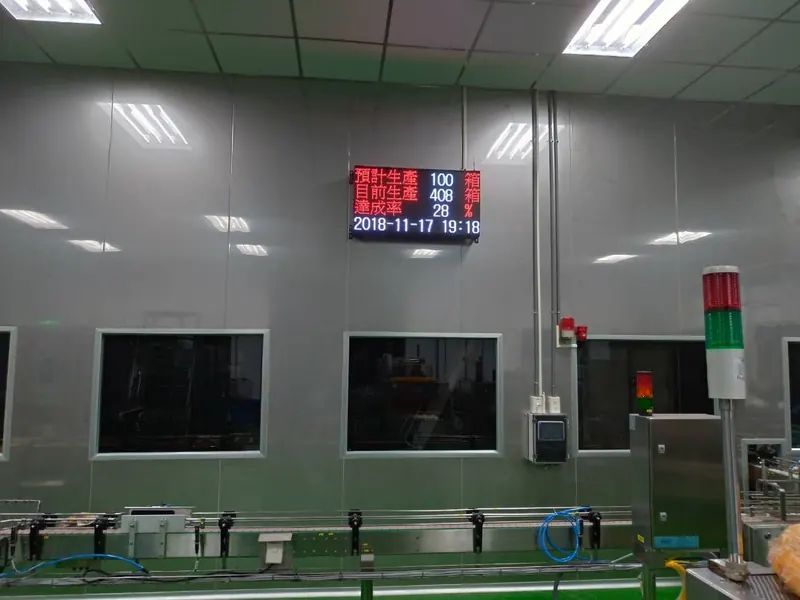
Show key parameters where quality staff can check them.
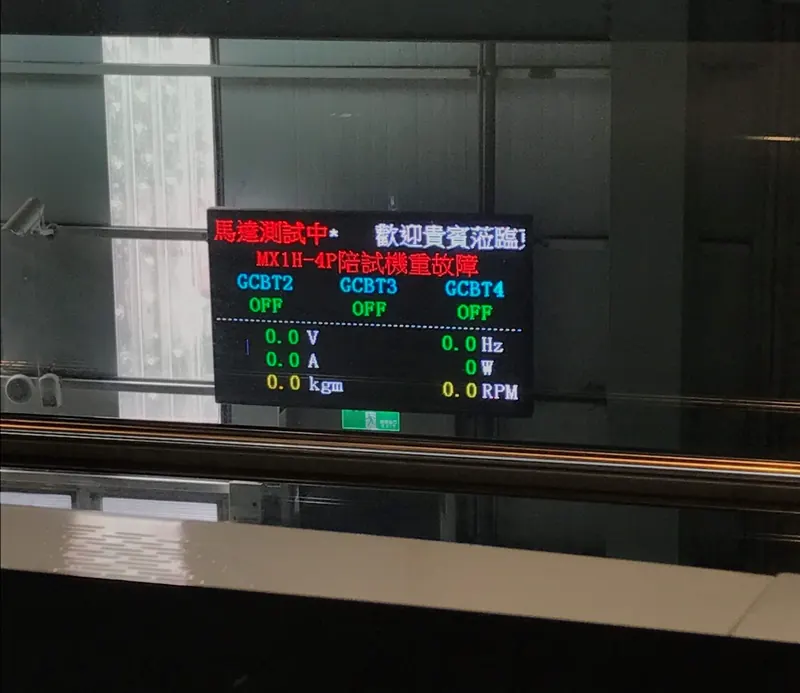
Display test data for comparison on site.
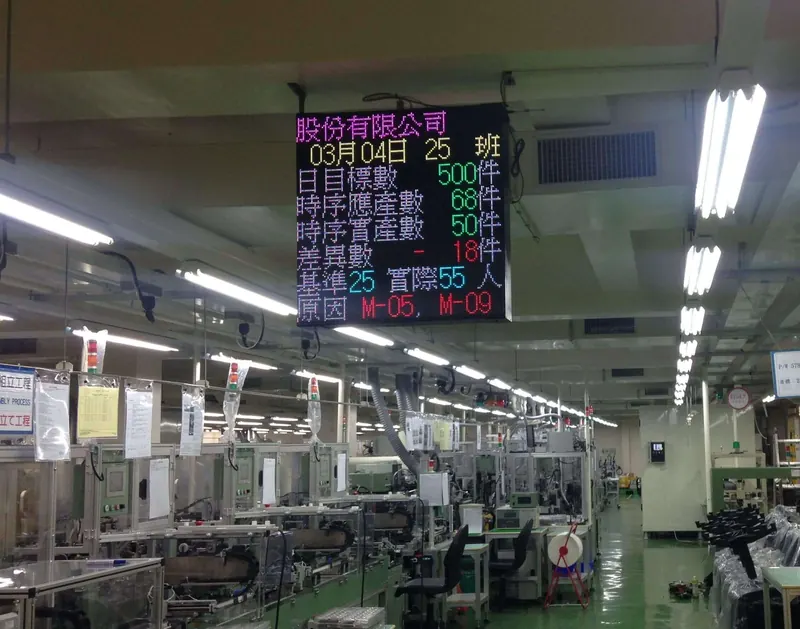
Bring assembly status and prompts into one view.
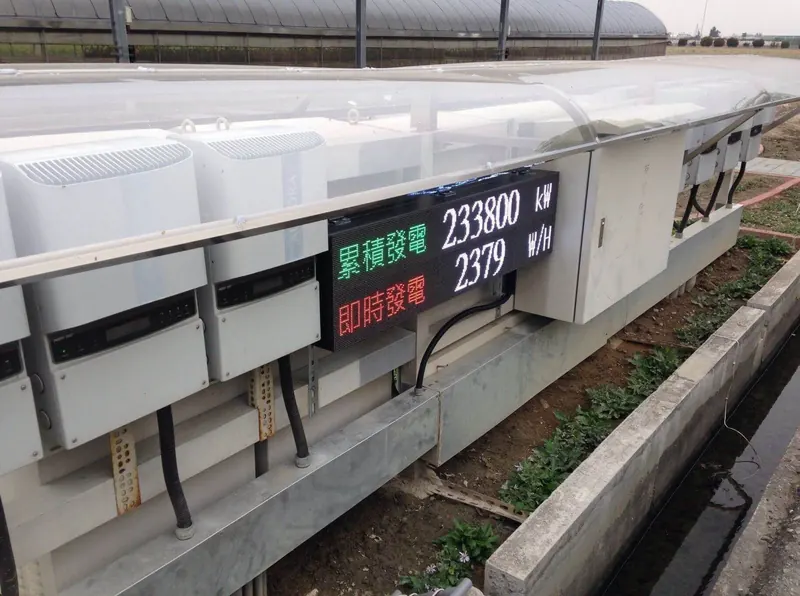
Poll devices and cycle through generation readings.
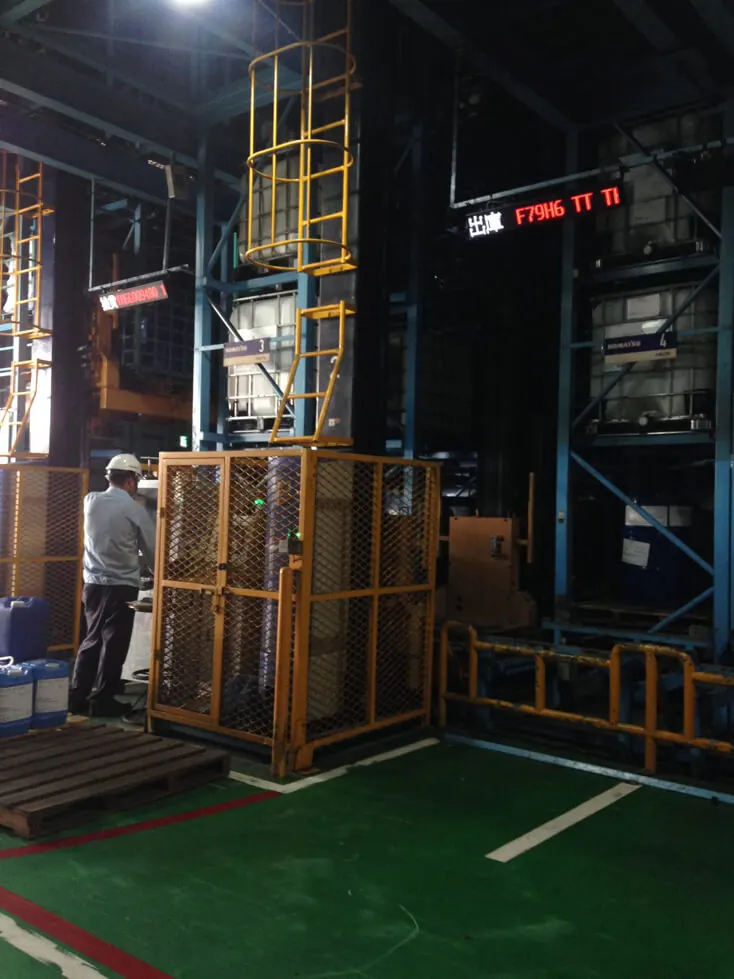
See equipment status along warehouse routes.
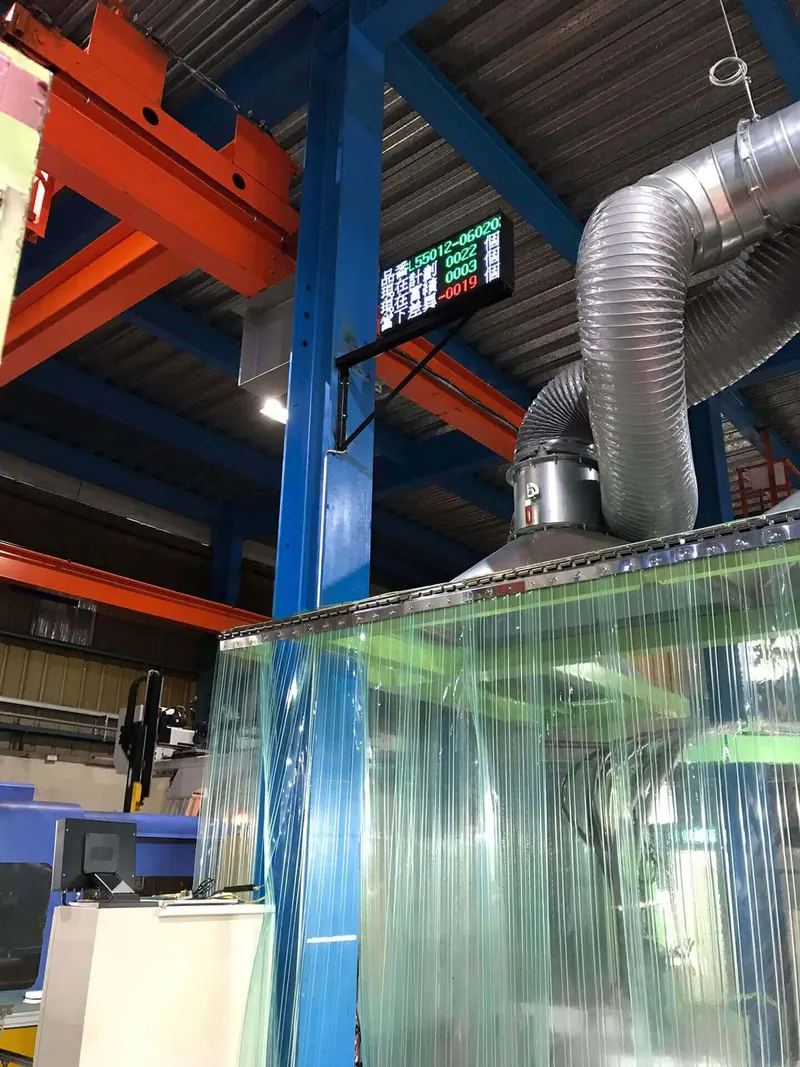
Put line readings and messages on one display.
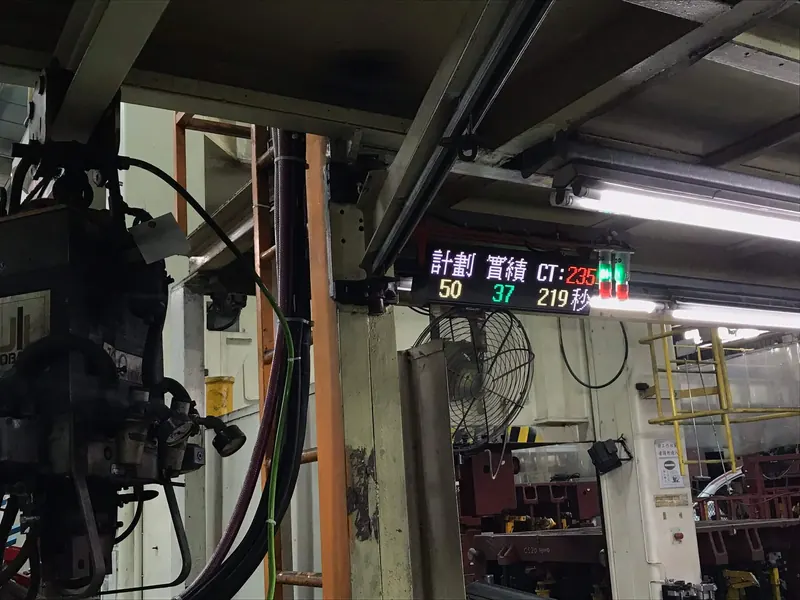
Turn Mitsubishi PLC signals into an on-site display.
END · Next step
An equipment list, a panel photo or a problem you face every day is enough to start.